Introducing muxd Hub: Manage Your AI Agents Across Every Machine
Your coding agents are running on three servers, your laptop, and a Raspberry Pi. Here's how to see them all in one place.
The problem
muxd-daemon already runs as a background service. You start it, it handles sessions, it survives reboots. It works great on one machine.
But most of us don't have one machine. You have a dev server, a build server, maybe a GPU box for the heavy models. You want to start a refactoring on your laptop, check on it from your phone, and review the results on your desktop.
You could SSH into each box. You could keep a terminal open for each daemon. Or you could use the hub.
What is muxd-hub?
muxd-hub is a coordinator. One binary, no dependencies. It runs on one machine and manages daemons on all the others.
# Start the hub — prints a token and QR code
muxd-hub

# On each server, start a daemon that registers with the hub
MUXD_HUB_URL=http://hub:4097 MUXD_HUB_NODE_TOKEN=<token> muxd-daemon

# Connect your TUI from anywhere
muxd --remote hub:4097 --token <token>
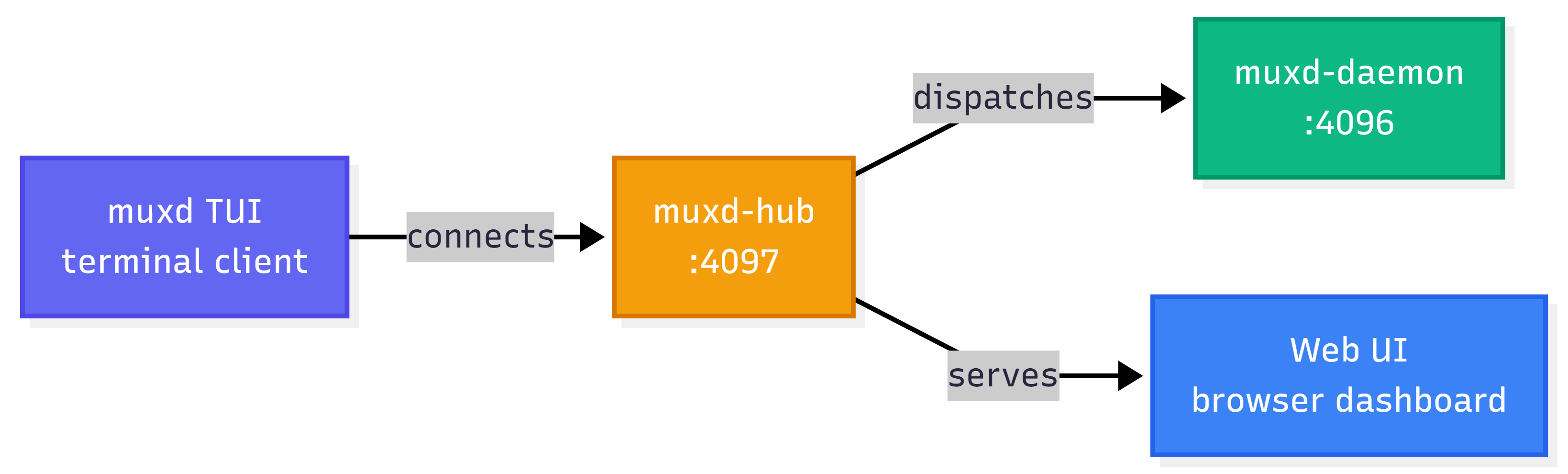
That's it. The hub knows about every daemon, every session, every node. It proxies requests, coordinates workers, and serves a web dashboard.
The architecture
The web dashboard
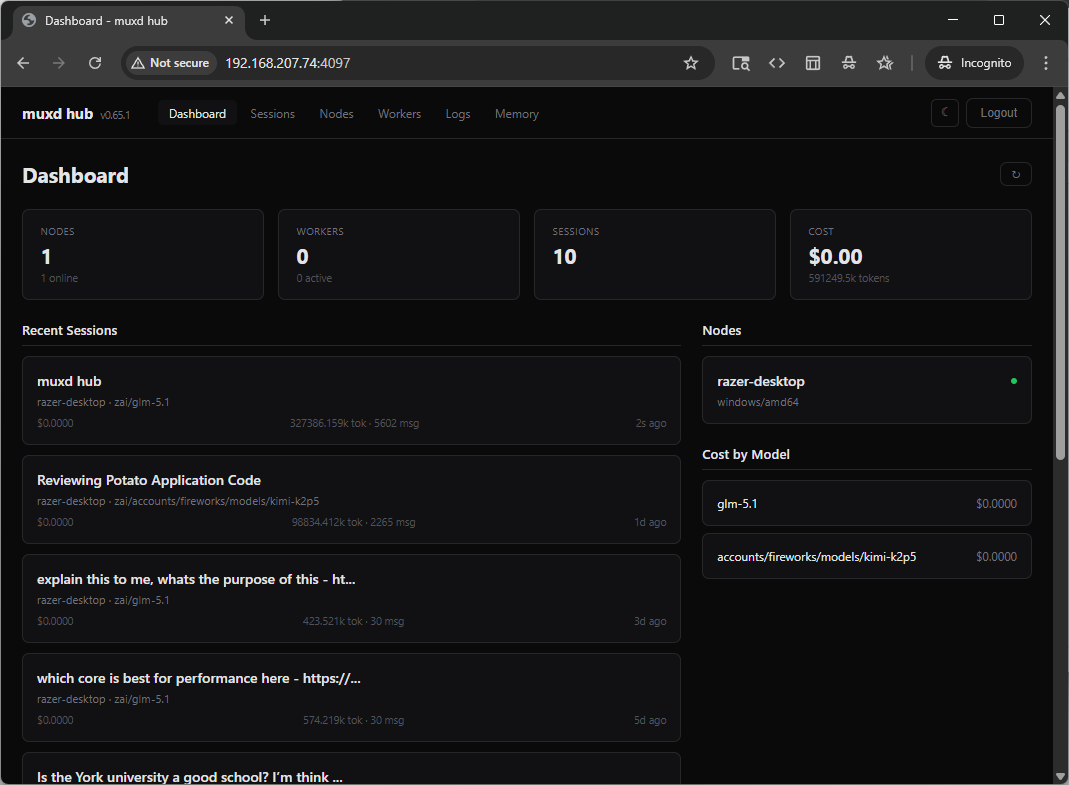
Open http://hub:4097 in any browser. No Node.js, no npm, no build step. The dashboard is built into the hub binary using Go templates and HTMX. Single static binary, zero frontend dependencies.
Dashboard
See your nodes, active sessions, total cost, and token usage at a glance.
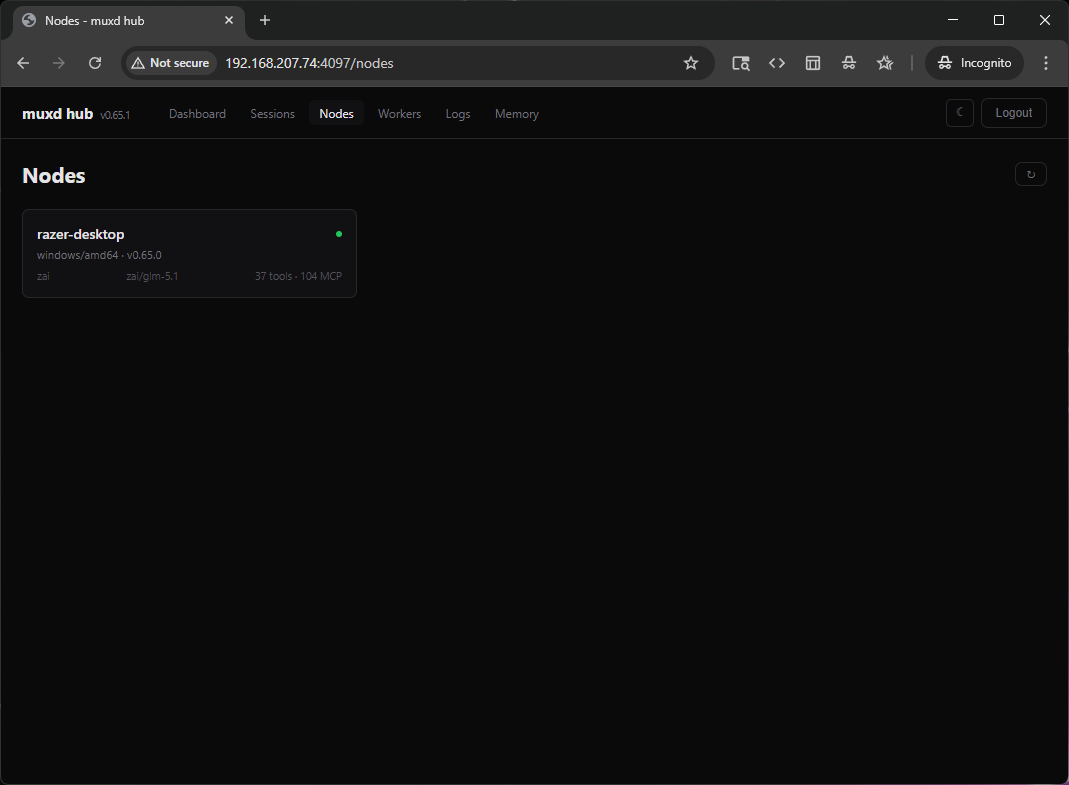
Nodes
Every connected machine in one list. Platform, model count, tool count, online status. Click a node to see its sessions and health details.
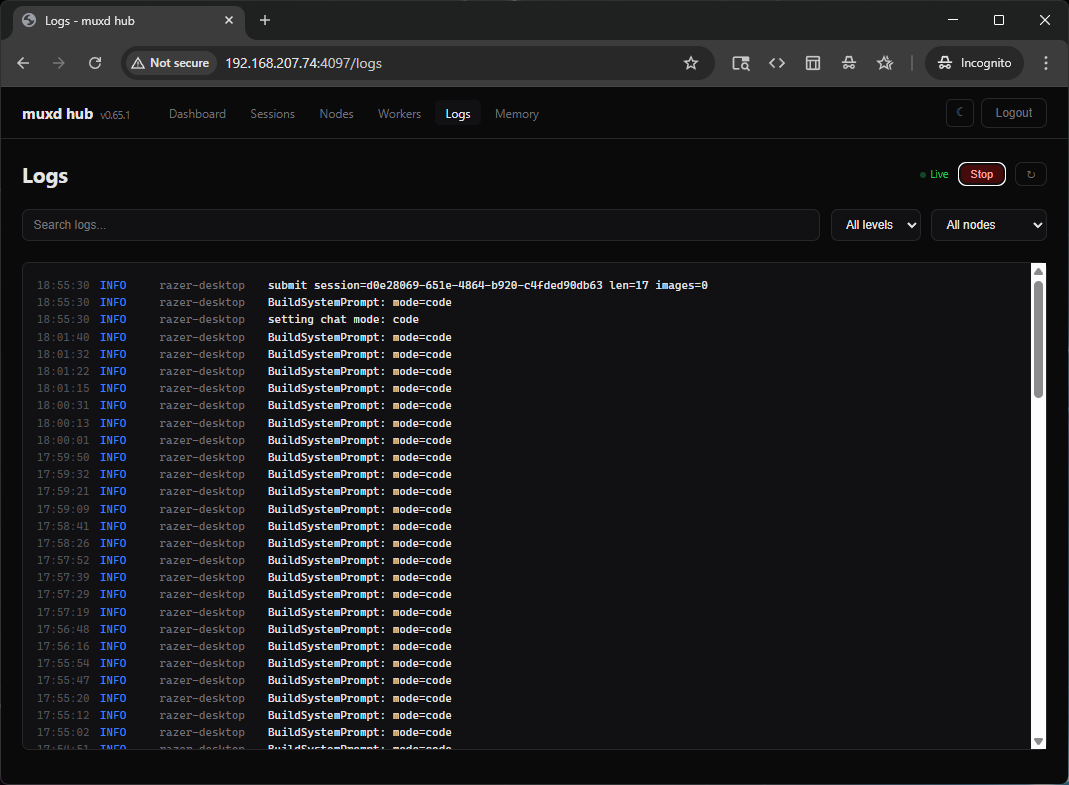
Logs
Centralized log viewer. Every daemon forwards its logs to the hub in real time. Filter by level (error, warn, info, debug) or by node. Click "Live Stream" to watch logs scroll in real-time via server-sent events.
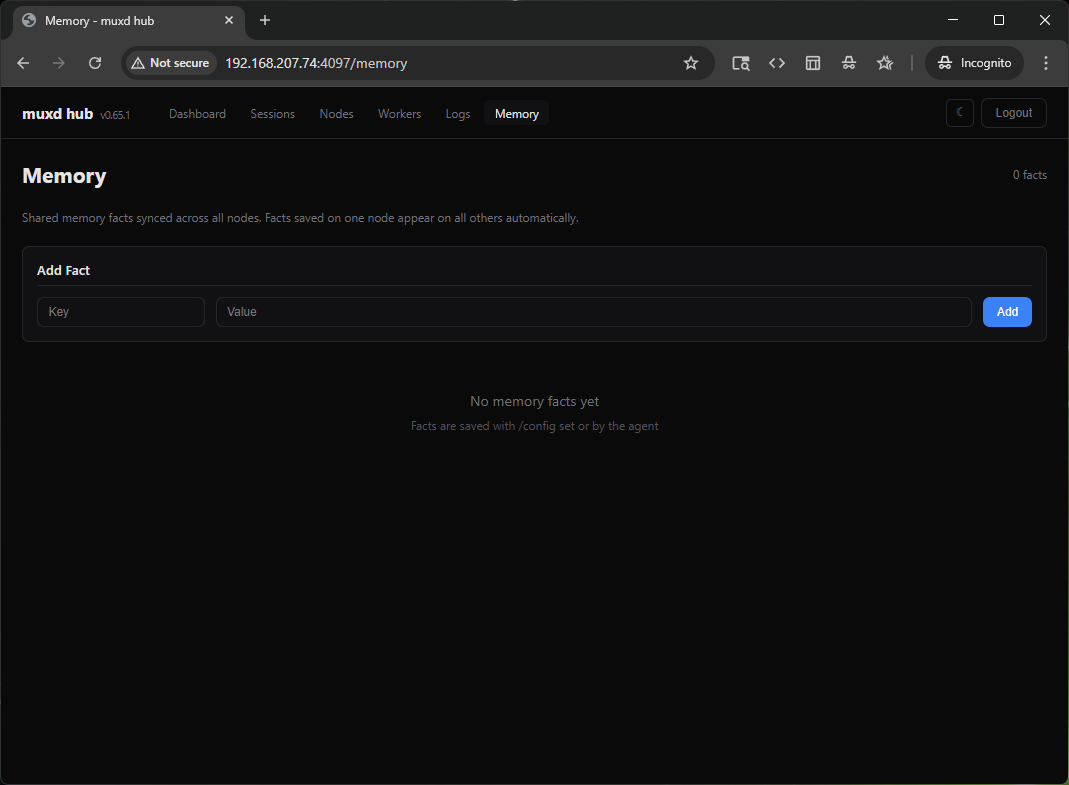
Memory
Shared project facts synced across all nodes. When an agent saves a convention or a config path, every daemon sees it. Scope facts as local (this machine only) or shared (all nodes).
Security
- Auth token on startup: the hub generates a 32-byte hex token. You need it for the TUI, the web dashboard, and daemon registration. No token, no access.
- Cookie-based web auth: login once, stay logged in. Cookies are HttpOnly. Secure flag is set automatically for HTTPS.
- No cloud dependency: everything runs on your machines. The hub never phones home.
- Open source: Apache 2.0. Audit the code, fork it, self-host it.
Getting started
# 1. Install
curl -fsSL https://raw.githubusercontent.com/batalabs/muxd/main/install.sh | sh

# 2. Start the hub
muxd-hub
# Saves token, prints QR code

# 3. On each machine, start a daemon
MUXD_HUB_URL=http://hub:4097 MUXD_HUB_NODE_TOKEN=<token> muxd-daemon

# 4. Open the dashboard
open http://hub:4097
Or use Docker:
git clone https://github.com/batalabs/muxd.git
cd muxd
docker compose up -d
What's next
The hub is new. We shipped the web dashboard, centralized logging, memory sync, and worker management. Here's what's coming:
- Multi-user auth: team accounts with role-based access
- Worker scheduling: cron-like recurring tasks through the hub
- Android app: same QR-code pairing, same hub connection
- Agent marketplace: share custom tools and configurations across nodes
Try it and let us know what breaks. We're building in the open.